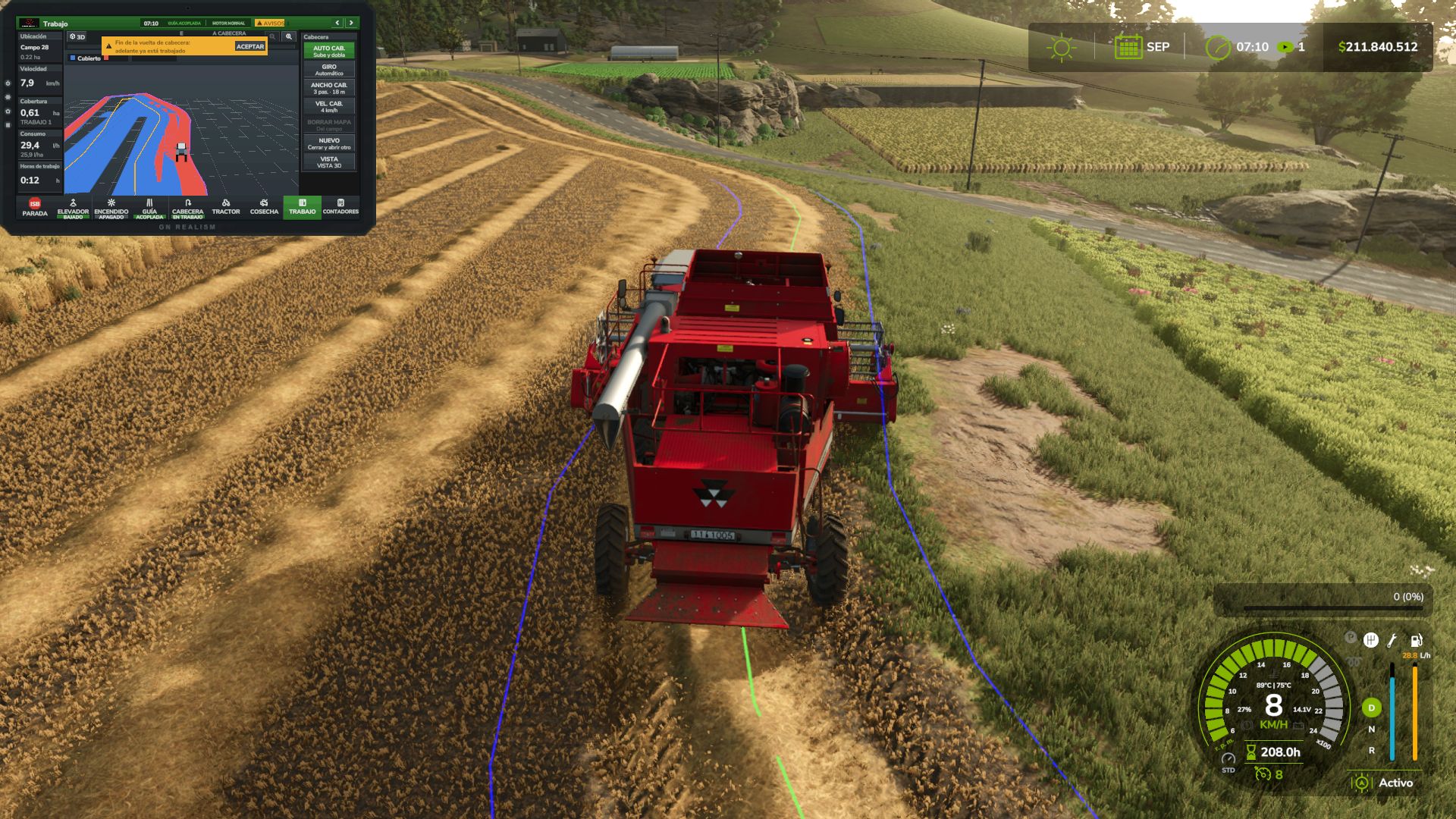
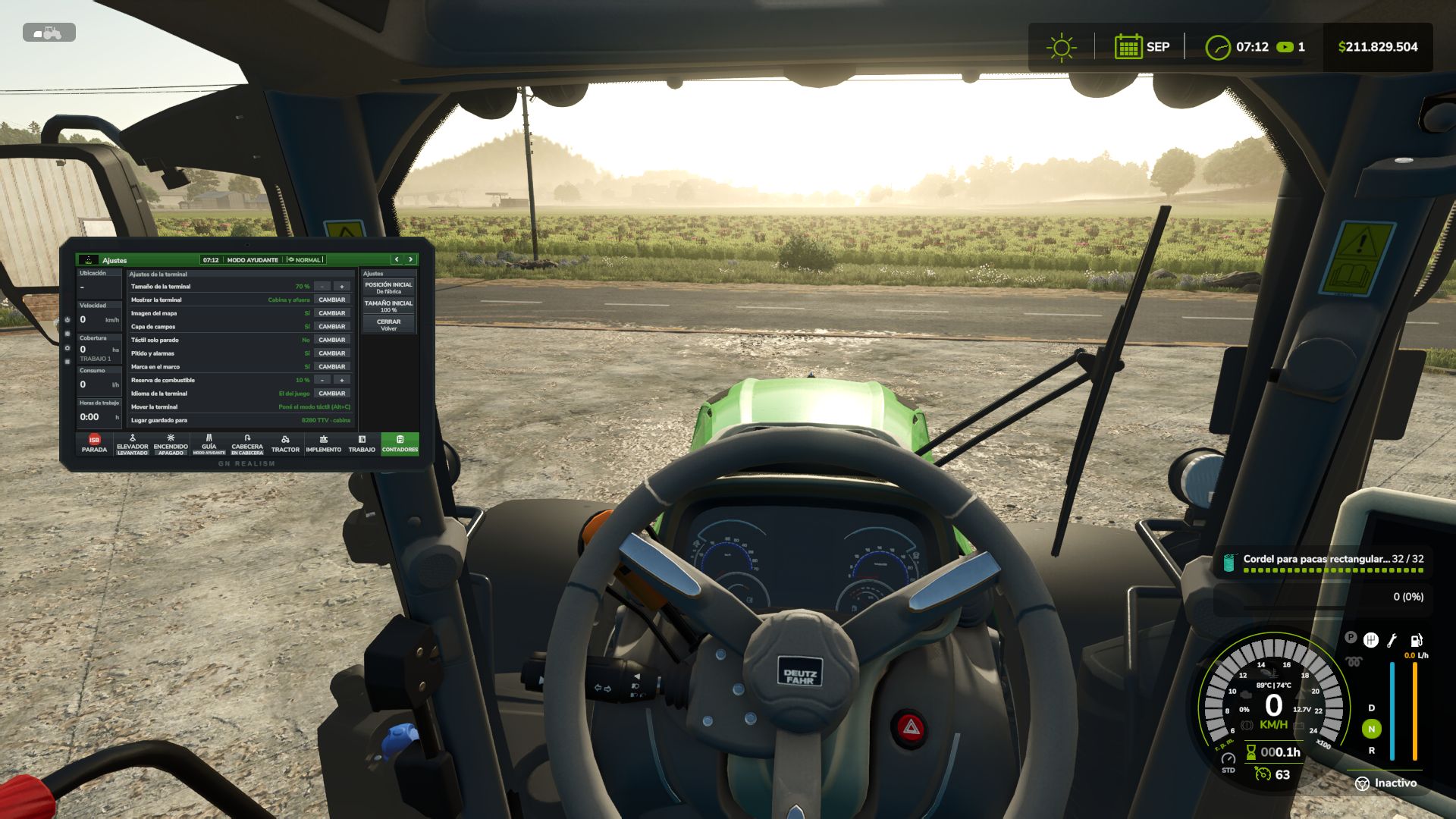
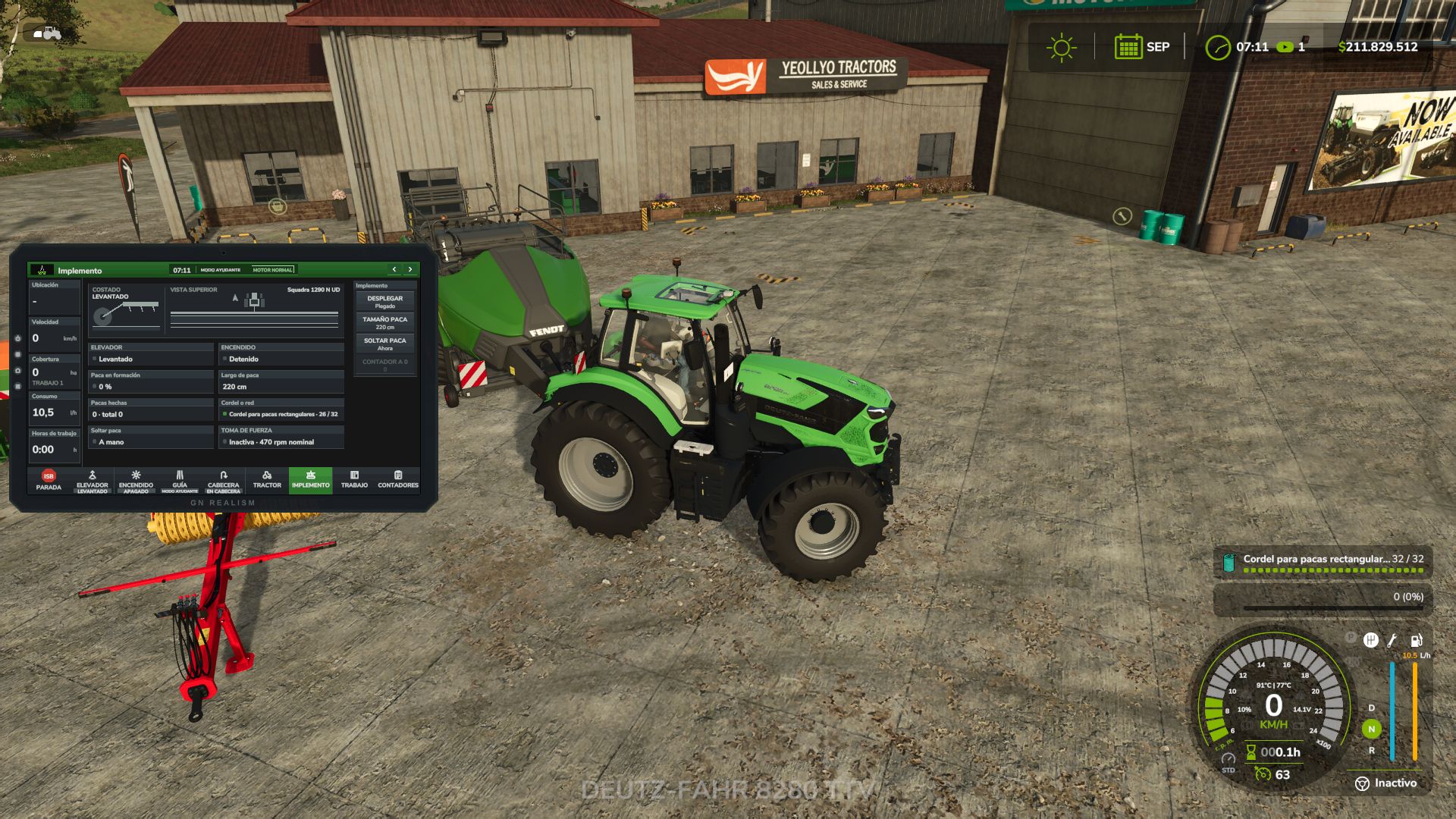
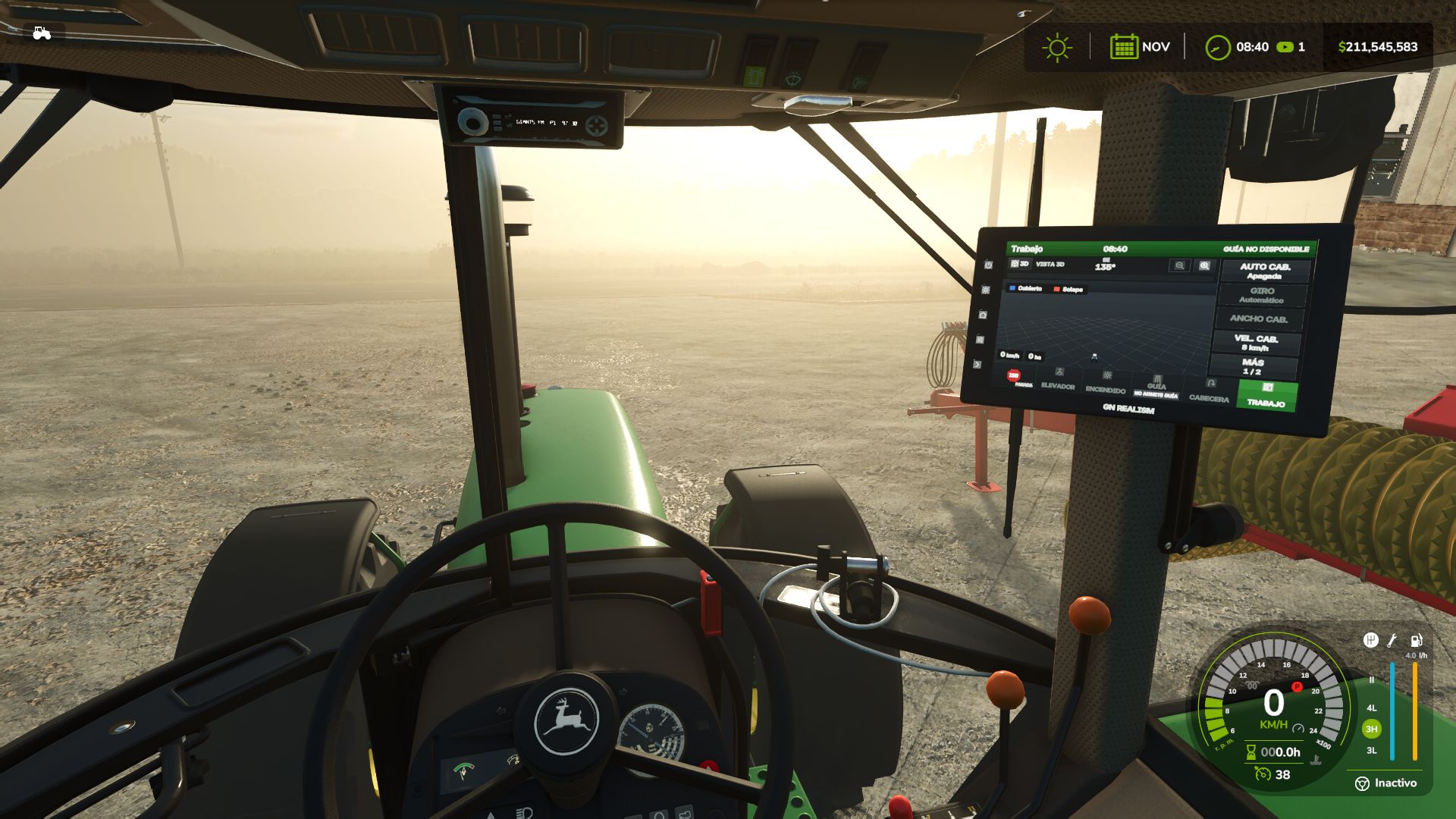
Bring a real onboard terminal into your machines’ cab, just like the ones used by John Deere, CLAAS, Fendt, and Trimble.
This terminal works alongside you: it lifts implements at the headland, turns automatically, switches sections off, maps your coverage, and alerts you when something goes wrong. Everything uses actual in-game data, with no made-up numbers.
How to get it
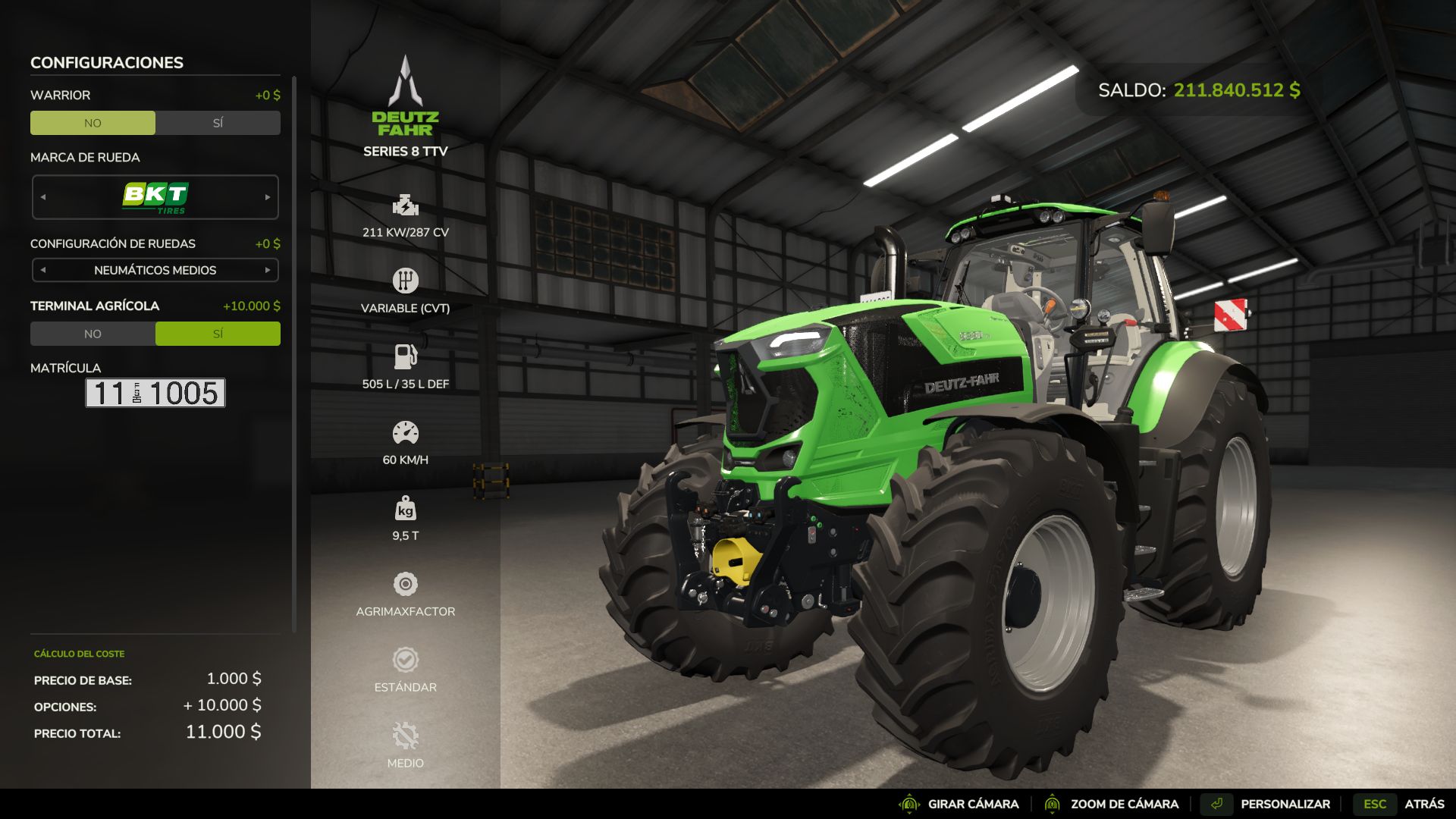
Purchase it from the shop as another piece of equipment. When buying or customizing a tractor, combine harvester, or self-propelled machine, select “Agricultural Terminal: Yes” ($10,000).
Annual license: $2,000 per machine, charged monthly ($166.67) as an operating cost, just like real guidance and section-control licenses.
Existing machines start without a terminal. You can add one at the dealership through the customization menu.
Features
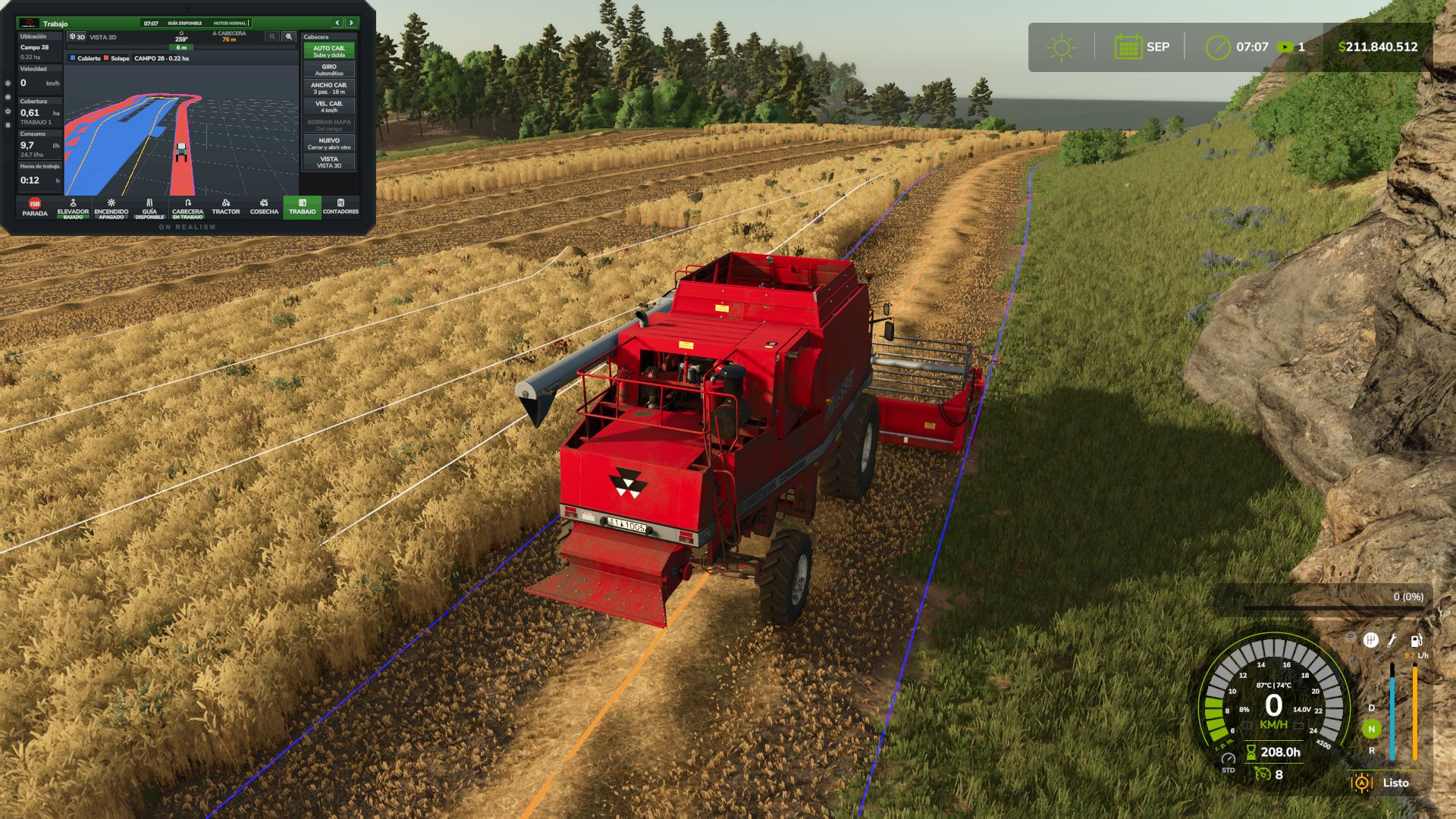
Automatic headland turns: At the amber line, the terminal raises and switches off implements, reduces speed to the headland setting, turns toward the next pass (U-turn or bulb turn), lowers the implements again, and restores working speed when the guidance system locks onto the new line. If you touch the steering wheel, control returns to you.
Headland navigation: The guidance system follows the corners automatically, slows down at each one, and stops the cruise control and displays an alert when the headland loop closes over an area that has already been worked.
Field coverage map: Displays the coverage map for each field, with overlaps highlighted in red. Includes a 3D view, heading-up or north-up orientation, and zoom controls. Maps are saved with your game save.
Automatic section control: Uses the coverage map, with 0%, 50%, or 100% overlap settings and adjustable look-ahead. Displays the applied rate in L/ha or kg/ha.
Harvesting: Displays grain tank fill level, yield, grain flow, header load, and estimated time until the grain tank is full. With REQUEST UNLOADING, the tractor pulling the grain cart receives an alert with an alarm, showing each combine’s fill level and distance, similar to Machine Sync.
Tractor systems: Engine, fuel level and remaining range, AdBlue, traction and wheel slip, differential lock, automatic PTO, and hydraulics (lowering and raising speed, maximum lift height, and valve flow rate).
Implement controls: Side view showing the actual lift position and top view showing the sections. Raise, activate, fold, markers, reversing, covers, working depth, and baler controls.
Work counters and history: Area covered, working time, fuel consumption, L/ha, ha/h, distance, and average speed.
Alert center with ACKNOWLEDGE: Fuel reserve, AdBlue and battery warnings, full grain tank, parking brake, malfunctions, excessive wheel slip, low product levels, and more.
Features and compatibility
Works on any map with base-game and modded machinery, without editing any XML files.
Everything can be configured directly from the terminal: size and position for each machine (inside the cab or outside), map appearance, touch controls available only while stationary, beeps, and alarms.
Terminal language: English, Español, Deutsch, Français.
Compatible with multiplayer and dedicated servers. Work records, maps, and unloading requests are shared with all players. A grain cart belonging to another farm can receive unloading requests if contractor permissions are enabled.
If you use Real Fuel Consumption, Realistic Diesel Start, Realistic Brakes, or Variable Working Depth, the terminal can display their data. These mods are optional.
Default key bindings
Left Alt + T: Open/close the terminal
Left Alt + C: Touch mode (mouse cursor)
Left Alt + P: Next page
Left Alt + H: Headland sequence
Left Alt + X: ISB — implement stop
Tip
The guidance system uses the game’s built-in Steering Assist, so create your guidance line in the field first. Then set AUTO HEADLAND to “Raise and Turn” and let the terminal handle the headlands.
V1.1.0.0
CHANGELOG 1.1.0.0 changes compared to 1.0.0.0 (the previous version on KingMods)
This update also includes version 1.0.1.0, which was not published on its own.
NEW: 3D MONITOR IN THE CAB
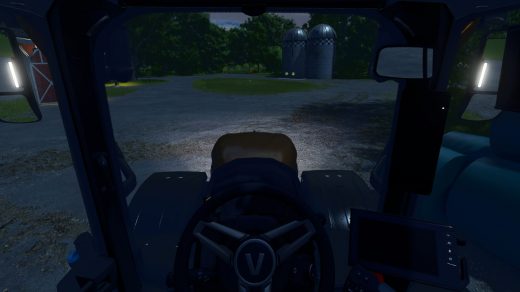
New 3D monitor that is installed in the cab of any tractor or combine from the terminal settings (3D MONITOR sheet), on a console arm or a pillar mount. No vehicle XML has to be edited.
The monitor belongs to the machine and is synchronized: in multiplayer every player sees it.
It switches on with the ignition and boots like a real one (5 seconds: terminal name, “Starting system”, loading bar and boot sound).
It shows the whole terminal, every page, on its own large screen made to be read from the seat: large bold text, large buttons and fewer items per page.
New setting “Monitor view”: Large (its own screen) or Like the 2D. New setting “Monitor text” (Normal, Large, Extra large) for the Like the 2D view.
It is used with the 2D terminal, with the keys, or by clicking it with the mouse in touch mode (Left Alt + C). Every touch makes a sound.
Five backlit physical buttons: screen off, day / night, home, settings and next page.
Backlit GN REALISM brand when the ignition is on. Matte screen (the sun no longer washes it out) and a dimmer light theme.
Placement: – and + buttons for near / far, left / right, down / up, tilt, turn and roll, with a fine or coarse step; holding a button keeps moving. IN FRONT button puts it in front of the view. Size up to twice as large. The last position is remembered per machine model.
WORK page: the map uses the whole height and shows the same ground as the 2D, with the tractor low in the map looking ahead. The map moves smoothly every frame.
The 3D MONITOR sheet warns when the game’s upscaling (FSR, DLSS or XeSS) is on, because then the monitor is drawn at a lower resolution and looks blurrier.
Machines without a cab camera show “No cab camera” and cannot install it.
2D TERMINAL
New arrow button on the frame: next page.
Backlit GN REALISM brand on the frame.
New setting “Fixed in the cab”: with the cab camera the terminal stays at one point of the cab.
New setting “Visible without game HUD” (on by default): the terminal stays visible when the game HUD is hidden.
With the terminal closed, warnings and unload requests are announced by the game, with sound.
AI HELPER AND HEADLAND
With the game helper or any AI job driving, the terminal no longer controls anything: headland, turn, sections, PTO, differential lock, hydraulic settings or reversible plough turning. It only watches and records the work. This fixes the helper getting stuck at the headland.
With the AI driving, the hydraulics go back to the game’s values (lift and lower times, full lift range, animation speed) and the terminal does not draw its headland line.
The automatic headland management (raise, slow down and turn) now only works with the game’s steering assist on, as on real terminals.
The log notes when the AI starts and stops driving.
PERFORMANCE
Fixed the FPS drop with several worked fields: the coverage map only processes what is on screen.
Consecutive coverage strips of the same pass are drawn joined (up to 5 times fewer pieces on the map).
New console command taPerf: writes to the log what the terminal costs per frame. taMonitor: test of the monitor brightness and text size.
MULTIPLAYER AND COVERAGE
The server sends the new coverage to all players every second, and when leaving a machine the player gets the server’s record.
New setting “Shared coverage”: the map also shows what the other machines of the farm worked with the same kind of work, and section control switches off over it.
SOUNDS
New sounds: warnings by severity (information, caution, fault), doorbell for unload requests and monitor boot.
KEYS (CHANGED)
Next page: Left Alt + P is now Left Alt + S (Alt + P opened the game’s character creation).
ISB (stop the implements): Left Alt + X is now Left Alt + I (Alt + X reset the bale counter).
If you had saved the old keys, change them in Controls.
TRANSLATIONS
All new texts in English, Spanish, German and French.
UPDATING FROM 1.0.0.0
Replace the zip. The savegame stays the same: work, maps and history are kept.