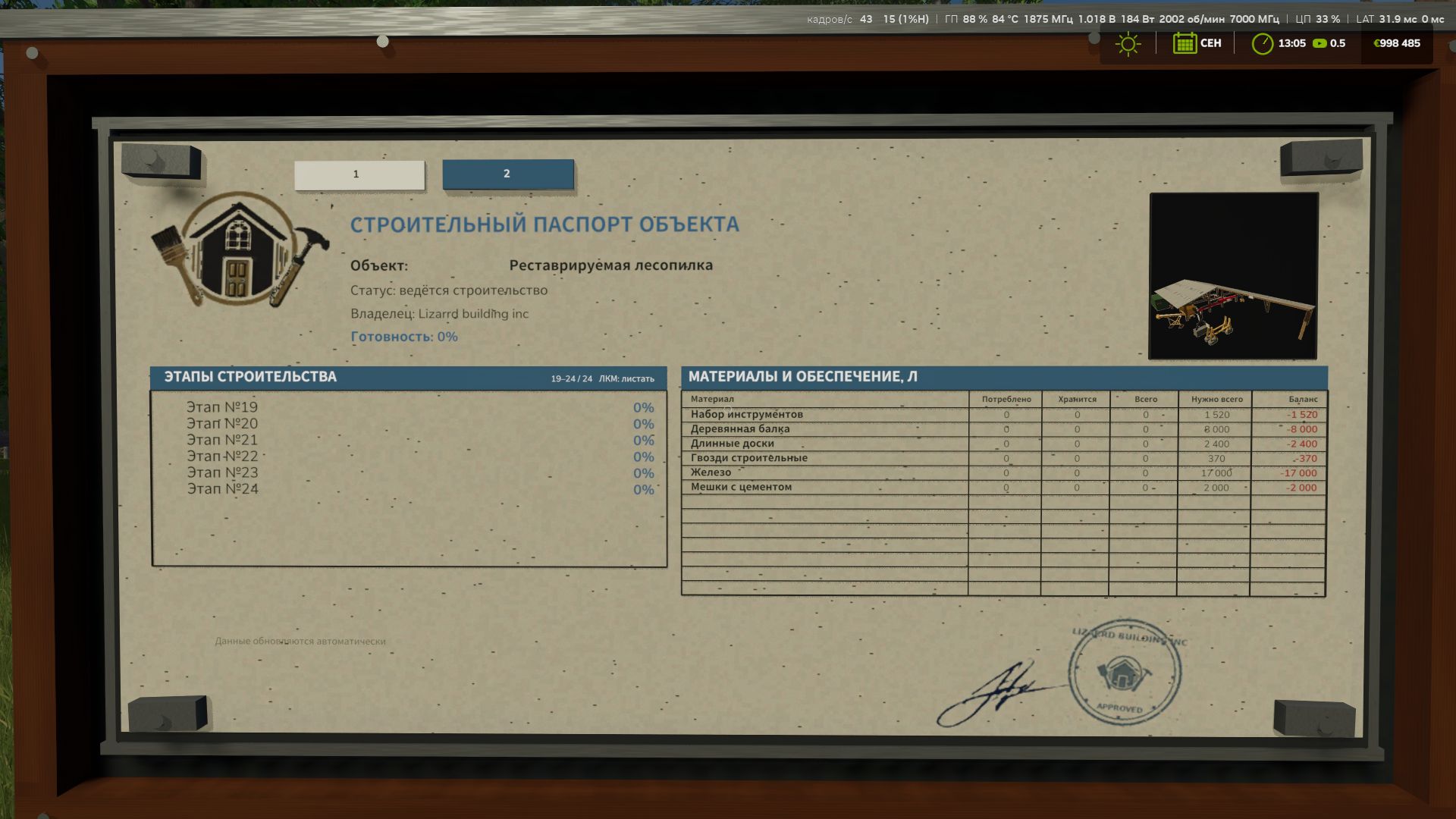
FS25 Construction Progress Display — information board for construction sites
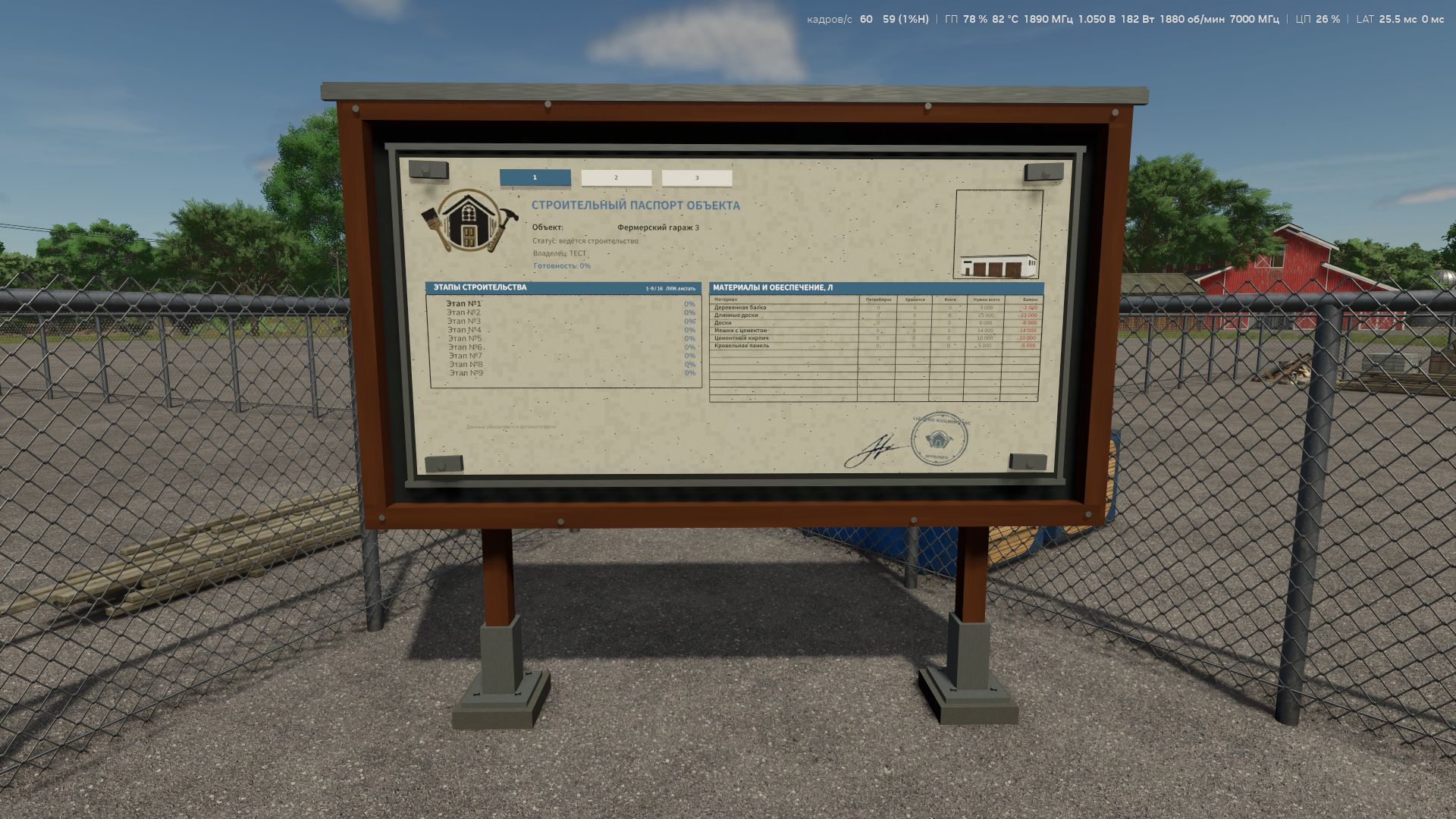
I created a new mod for Farming Simulator 25 that adds a complete information board next to buildings under construction.
Now you can monitor construction progress not through abstract menus, but directly on site — just like on a real construction site.
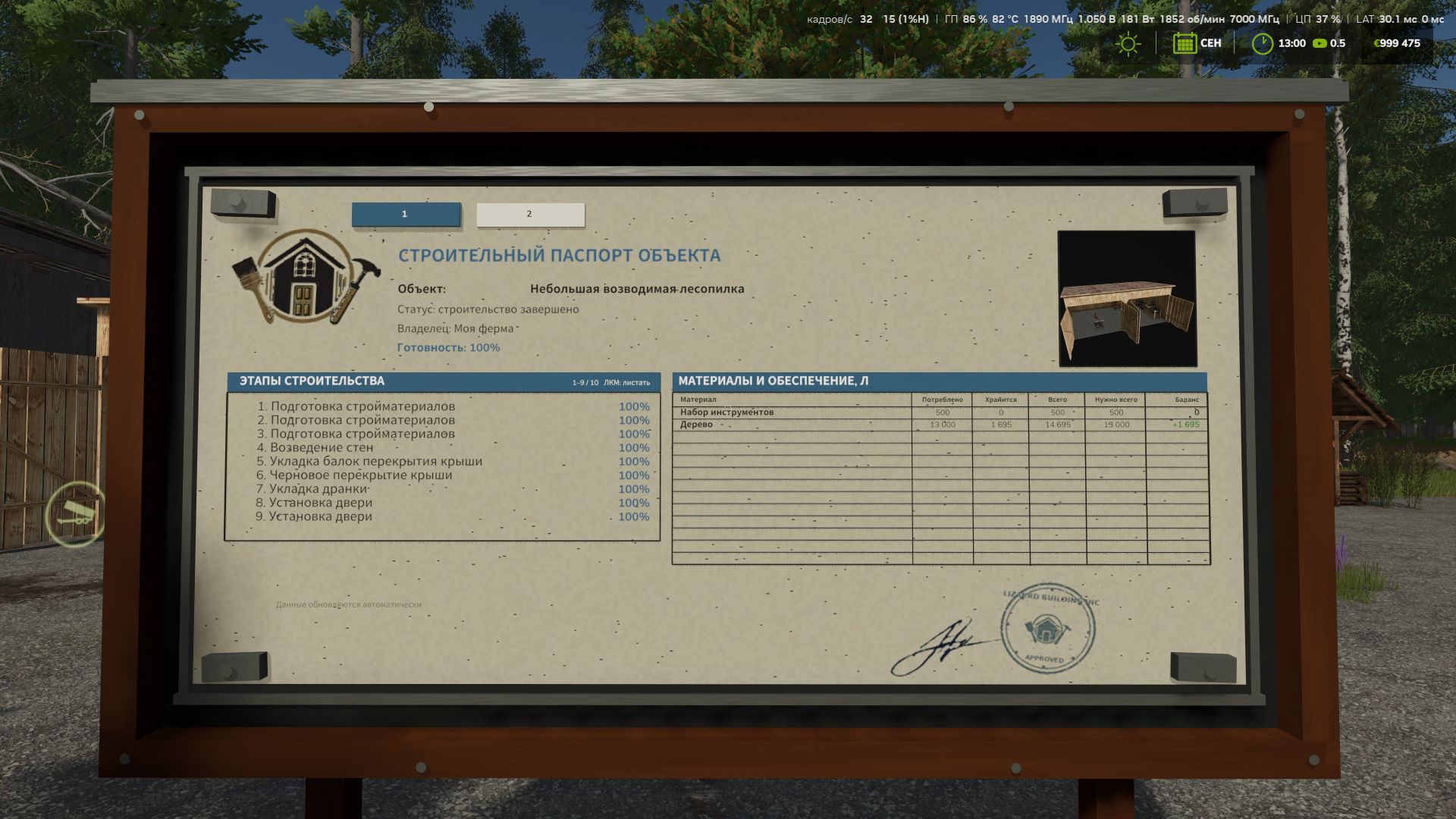
The board displays: the name of the building under construction; the current construction stage; the overall completion percentage; the list of stages; the required materials table; how many materials have already been used; how many are still stored at the construction site; the total volume of materials delivered; the required quantity;
the final balance.
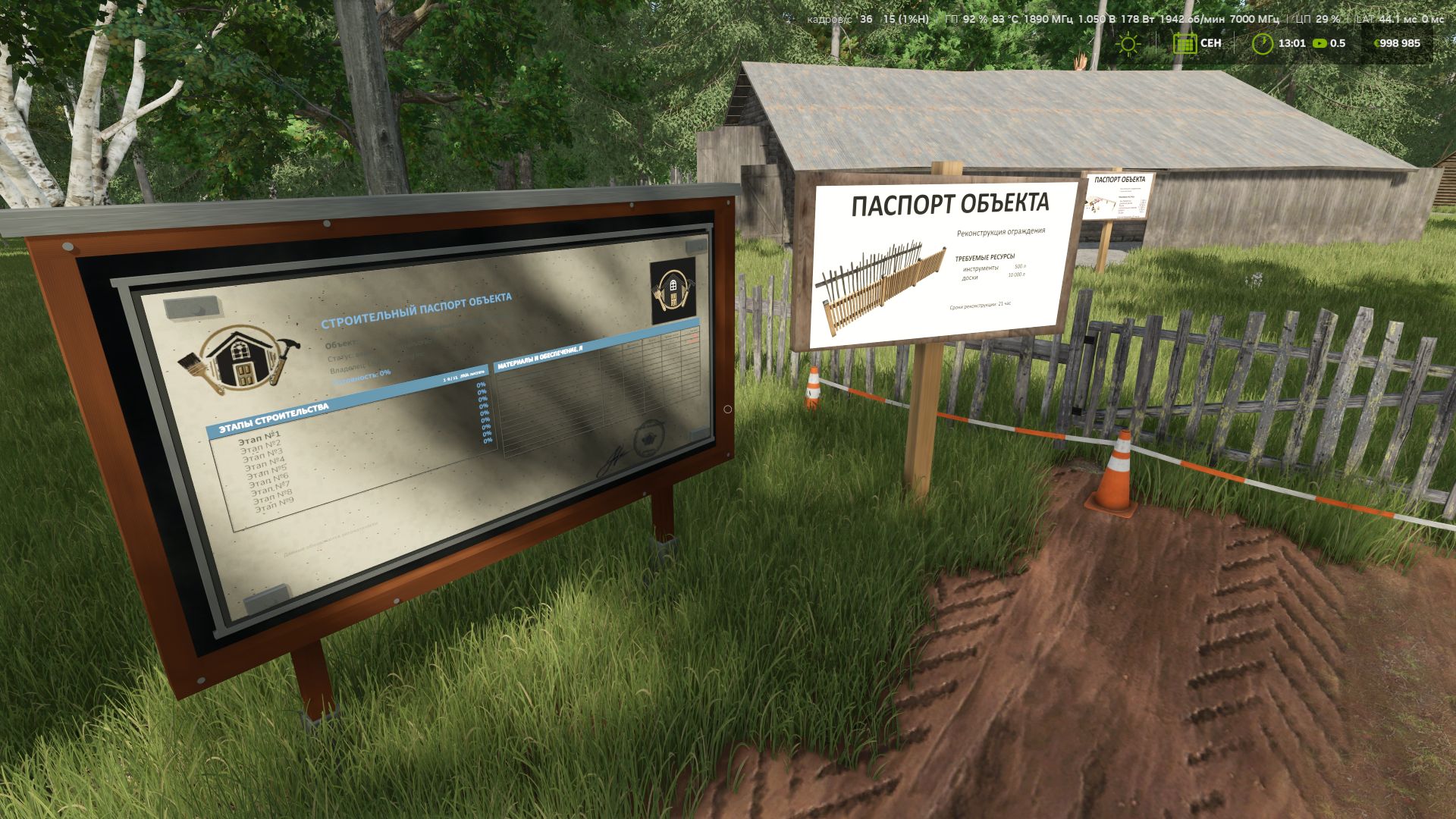
If several active construction sites are nearby, the board creates separate tabs for each of them. Switching between them is done directly at the board (R key).
After construction is completed, the tab does not disappear — the board saves the building as completed and displays the final report. Even leftover materials that Farming Simulator normally removes from the construction storage when a building is completed are saved by the mod in time for the final report.
The board can only be placed next to an active construction site. Completed buildings are no longer detected when placing a new board.
The result is a small but quite useful mod, especially suitable for maps with many buildings constructed in stages, as well as for newcomers to construction, helping them determine exactly how many building materials are required for the ENTIRE project.
FS25 Construction Progress Display: We are not just building structures — we are keeping proper construction documentation.