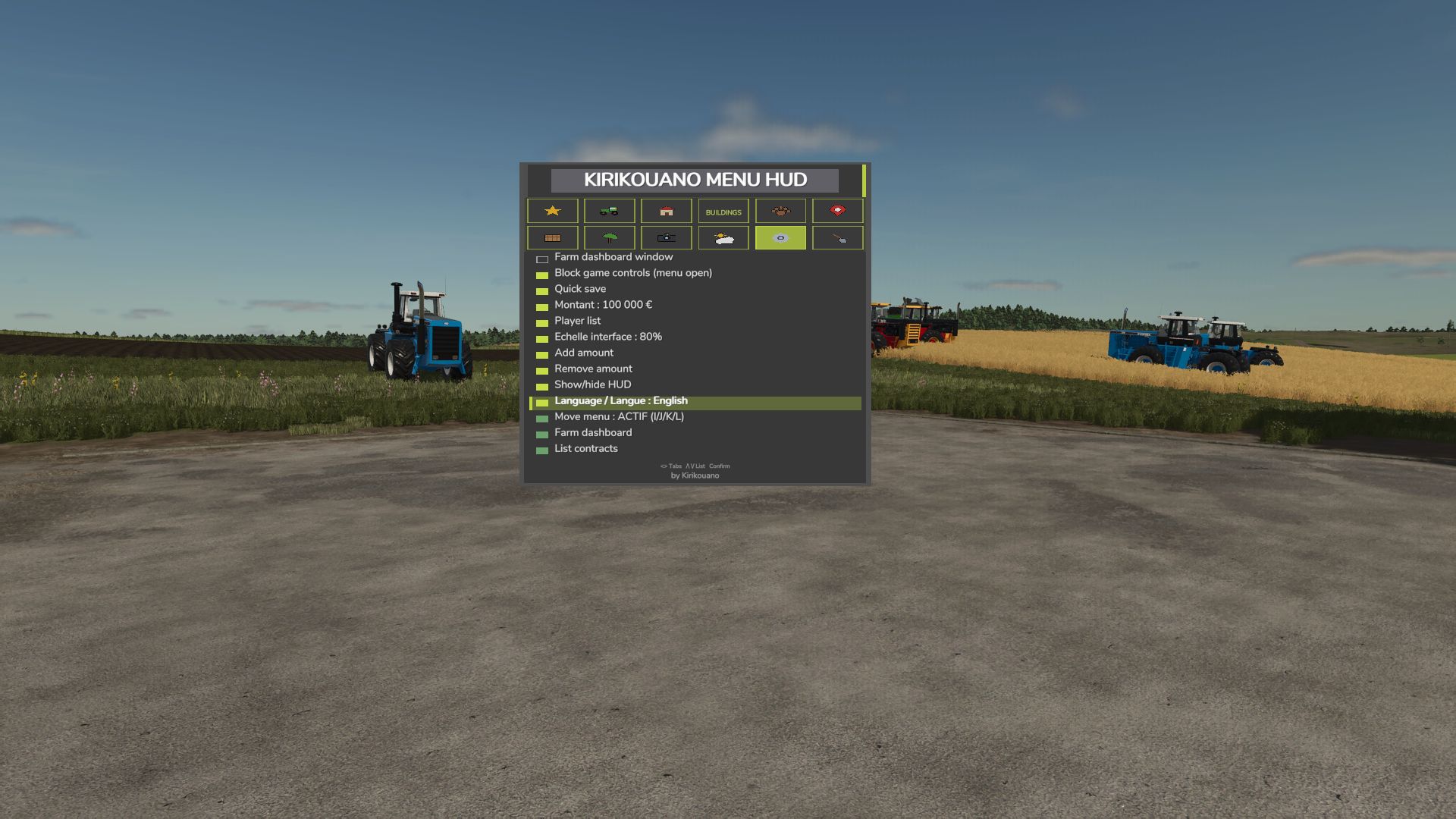
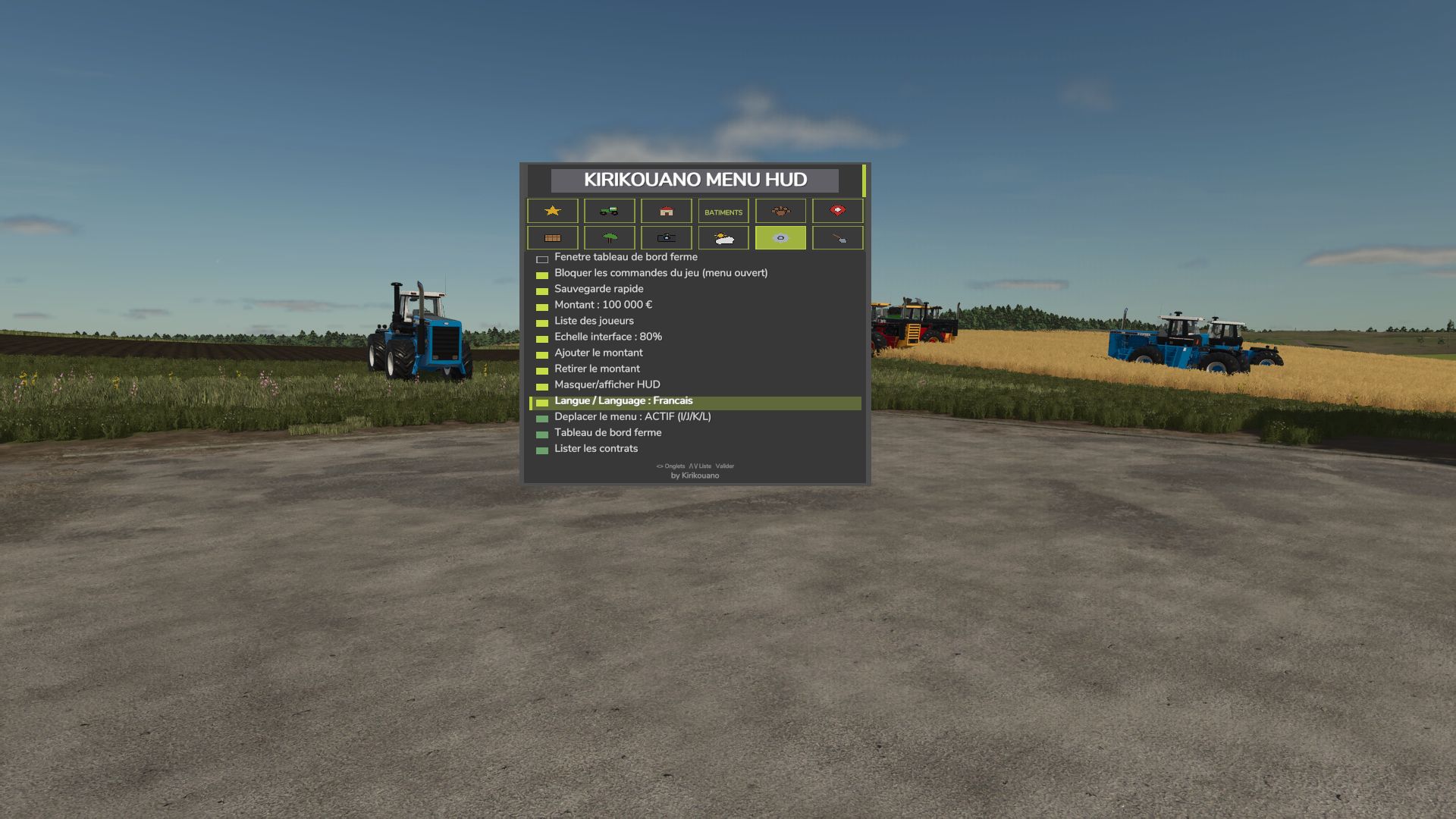
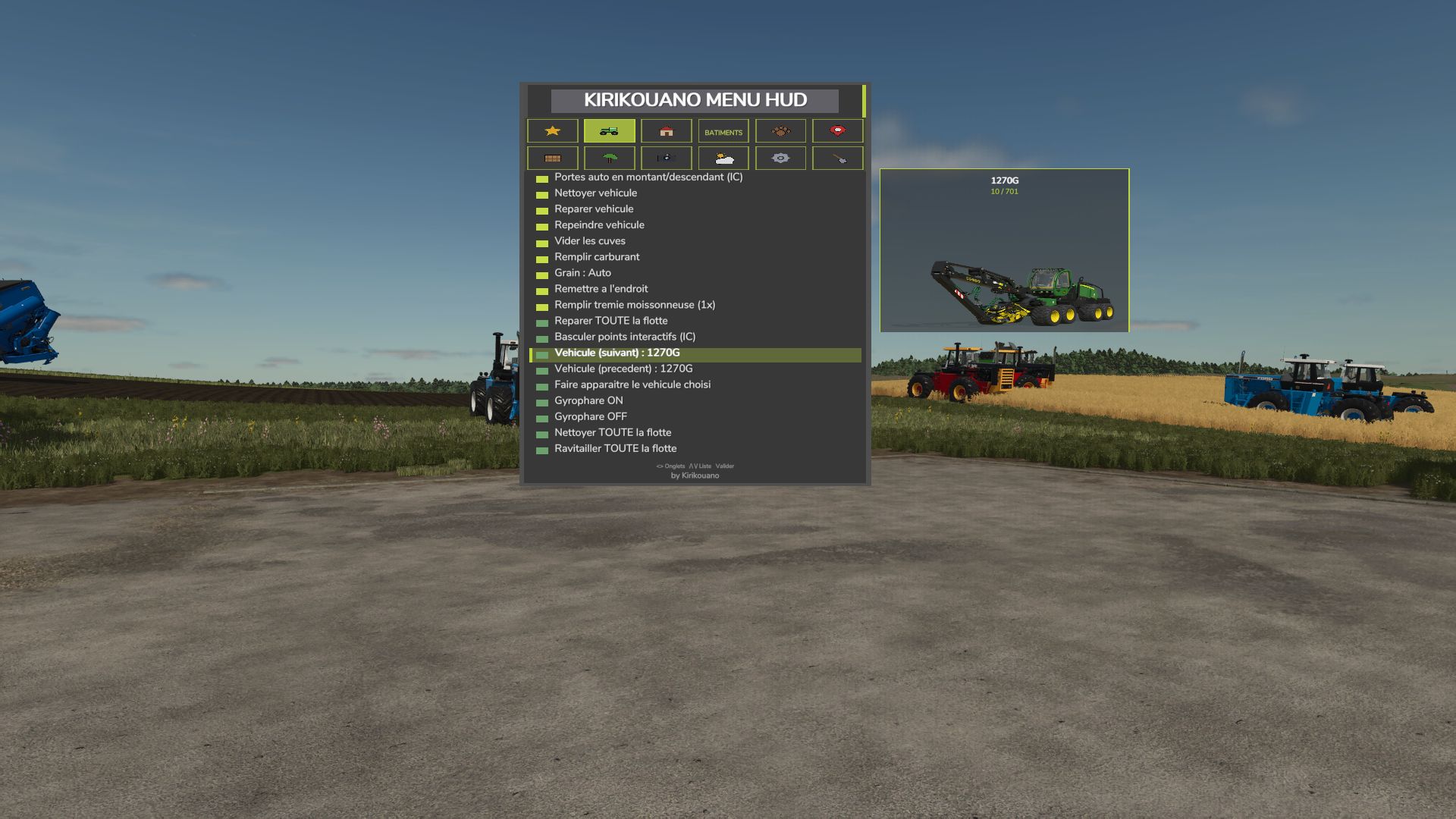
Kirikouano menu: F12 opens/closes a modular and compact panel. Includes silver, full fill, no wear, flight, fast speed, strength, automatic doors/barriers and free terraforming (toggles); clean/repair/empty vats, choose grain, spawn pallets/bales, buy all terrain, field status editor, right overturned vehicle, quick save, movable and recolorable panel. Keyboard navigation (wheel/click or Up/Down/Enter) by default. Controller: no buttons automatically assigned (to avoid any conflict with your own settings) — assign the “KM_MENU_*” actions yourself in Options > Controls > Controller if necessary. The panel moves with the dedicated I/J/K/L keys (not the arrows, to avoid conflicts with the camera). Note: Time and Weather actions use game developer console commands and require the “-cheats” launch option; all other features work without it.
V1.3.0.0
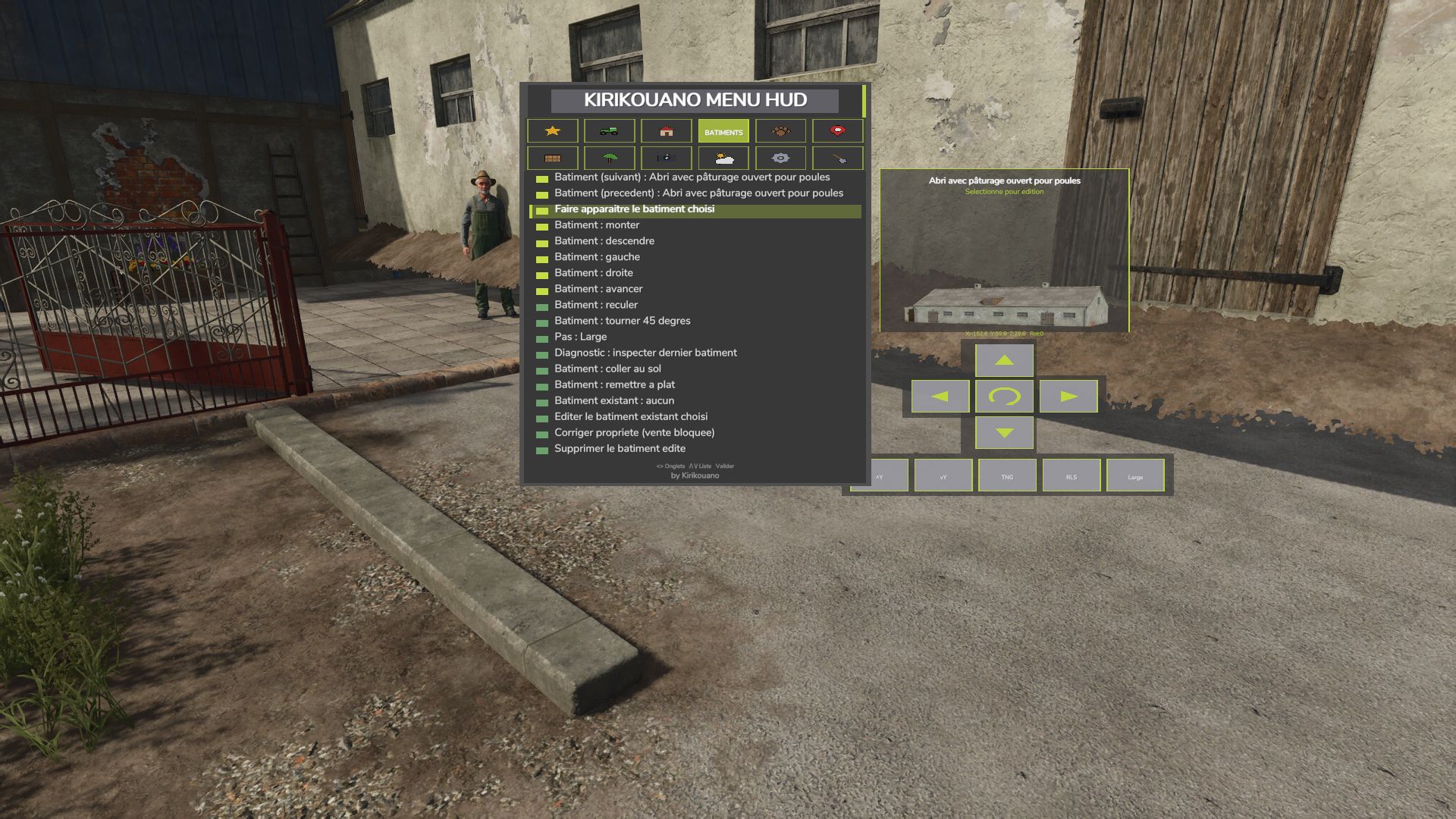
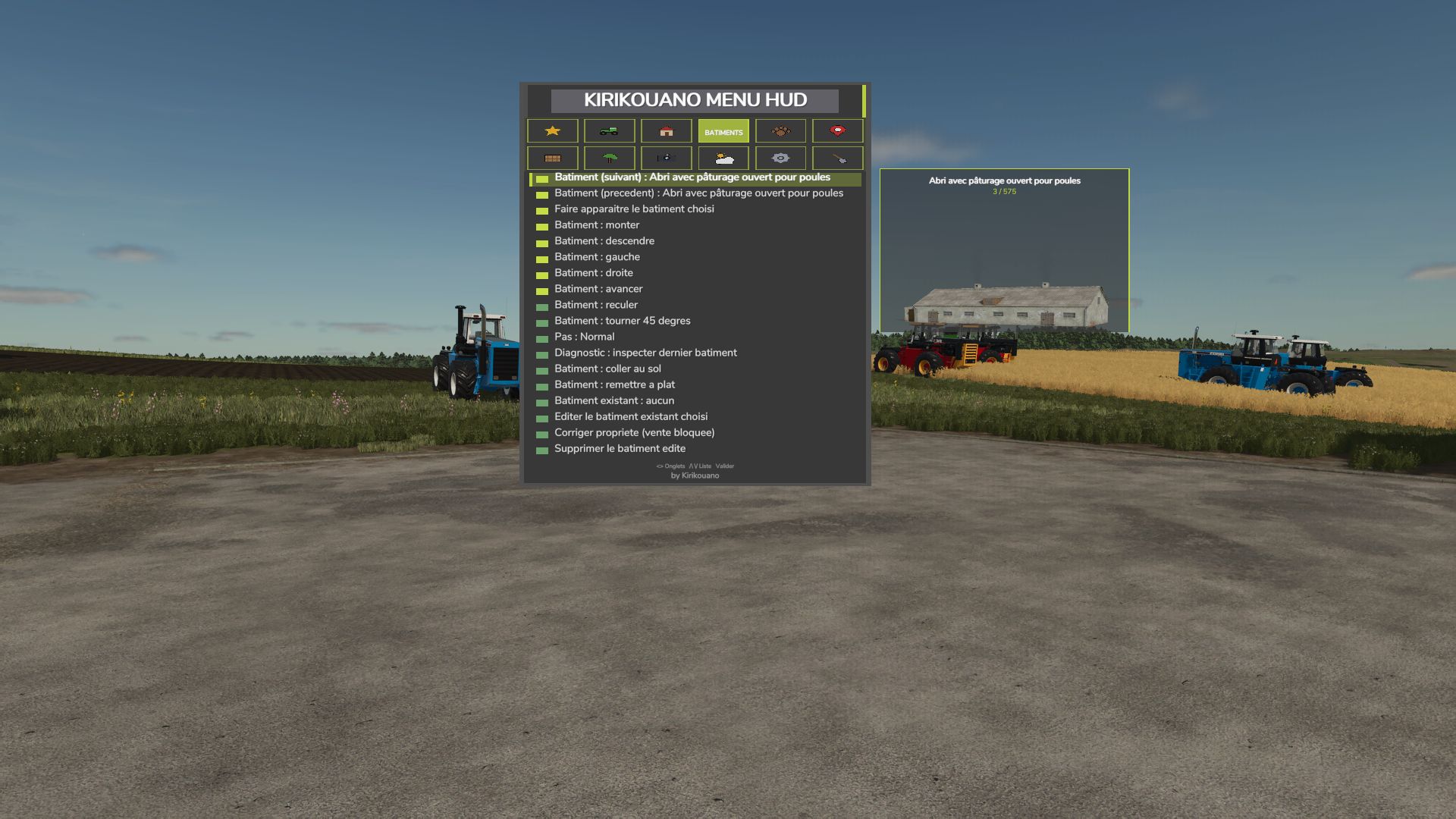
New BUILDINGS tab: spawn any building or fence from the game’s entire catalog, with live photo preview of the selected object (whether in the spawn list or by browsing your already placed buildings).
Directional cross to precisely position a building: movement, rotation, setting on the ground — with real arrow icons, rather than text.
Deletion of a building secured by double confirmation (one click arms, a second click within 4 seconds confirms) to avoid accidental deletions.
Successive installations of the same building or the same vehicle are now automatically spaced, to prevent them from overlapping.
Note about fences: the game automatically merges two fences of the same model placed nearby, into a single continuous network — this is a behavior of the game itself (not something the mod can change). To have several separate fences that can be moved independently, choose a different fence model for each installation. If two fences have already merged, you must go through the game’s native store to separate them again.
New image preview of the selected fruit in the field editor (FIELD tab), with the real icons of the game.
Menu button pressing animations, in the spirit of the game’s native menus.
New graphic palette featuring the true colors of the Farming Simulator 25 interface.
Completely revised controller navigation: the camera and vehicle controls are no longer disturbed while the menu is open (except on the BUILDINGS tab, where the camera voluntarily remains free to properly position what you place).
Tab switching on keyboard and controller fixed (previously only worked with mouse).
FIXES
Fixed: a bug sometimes prevented a building from being properly deleted.
Fixed: a crash could occur just after deleting a building.
Fixed: the menu could get stuck on the preview of an old building without returning to the list.
Fixed: Collision avoidance for fences/buildings did not work when placed via the game’s native store (now works both from the menu and from the store).
Fixed: some vehicles appeared as failed in the game logs when they had actually loaded successfully in-game.
Fixed: large vehicles could fail to spawn on non-flat terrain (landing position now based on actual terrain).
Various stability and general reliability adjustments to the menu.