Realistic Harvesting for FS25
Transform your harvesting experience into true agricultural simulation! Combines can no longer unrealistically sprint at full speed through dense crops without consequences. Working speed, engine load, and yield efficiency are dynamically driven by crop density, cutting width, moisture, and your machine’s mechanical calibration.
Key Features
Physics-Based Engine Load & Speed: Ground speed dynamically adapts based on harvested crop mass (t/h), header width, and vehicle horsepower. Overloading the engine or using incorrect settings results in real grain loss.
All Machine Types Supported: Fully calibrated physics for Grain Combines, Forage Harvesters (chaff/silage), Root & Vegetable Harvesters (potatoes, beets, carrots, parsnips, spinach, peas), Cotton, and Sugarcane.
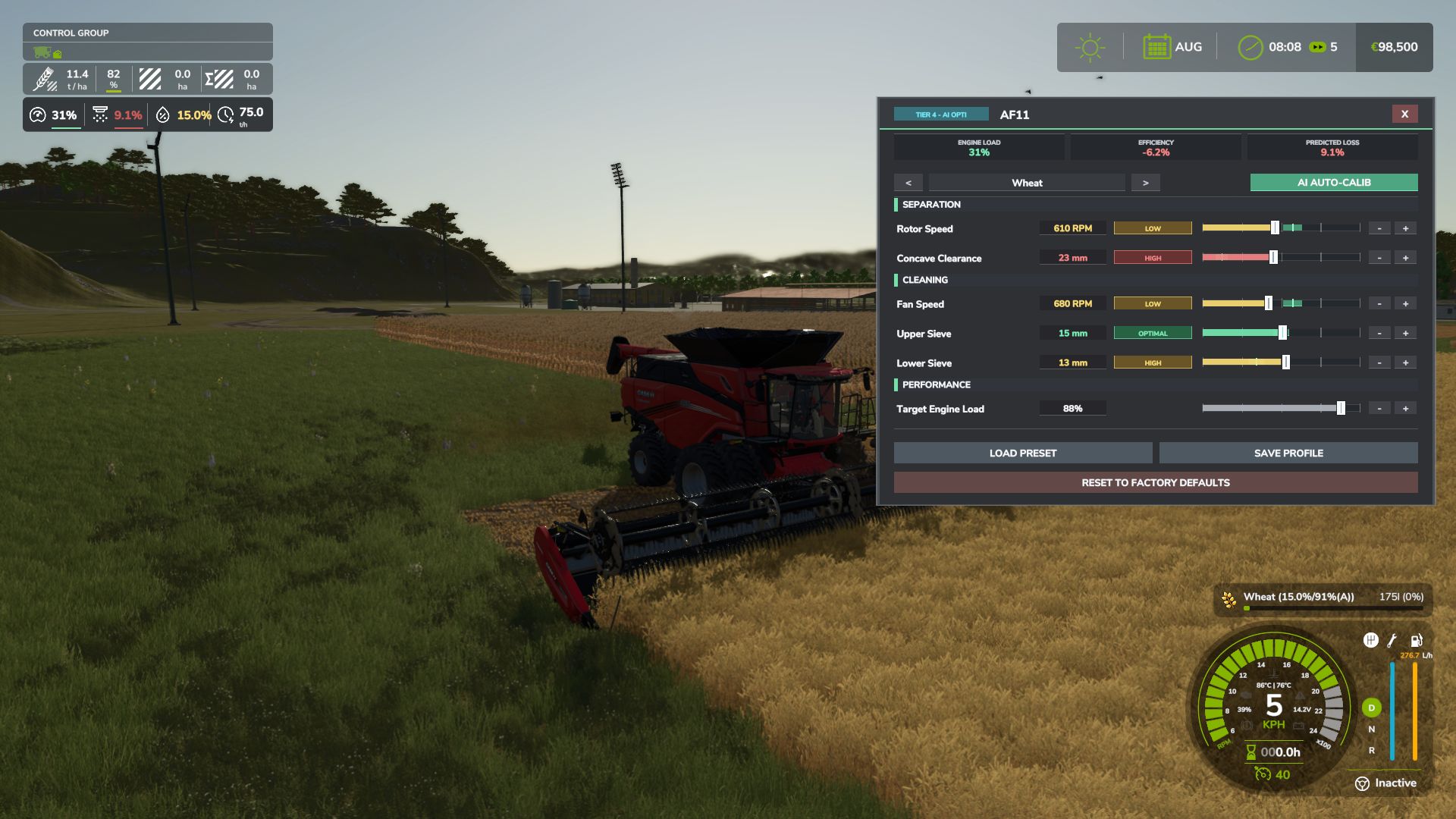
Interactive Combine Calibration (`RShift + K`): Calibrate Rotor/Drum RPM, Concave Clearance, Fan Speed, and Sieves for each crop. Correct settings ensure maximum yield and minimum loss.
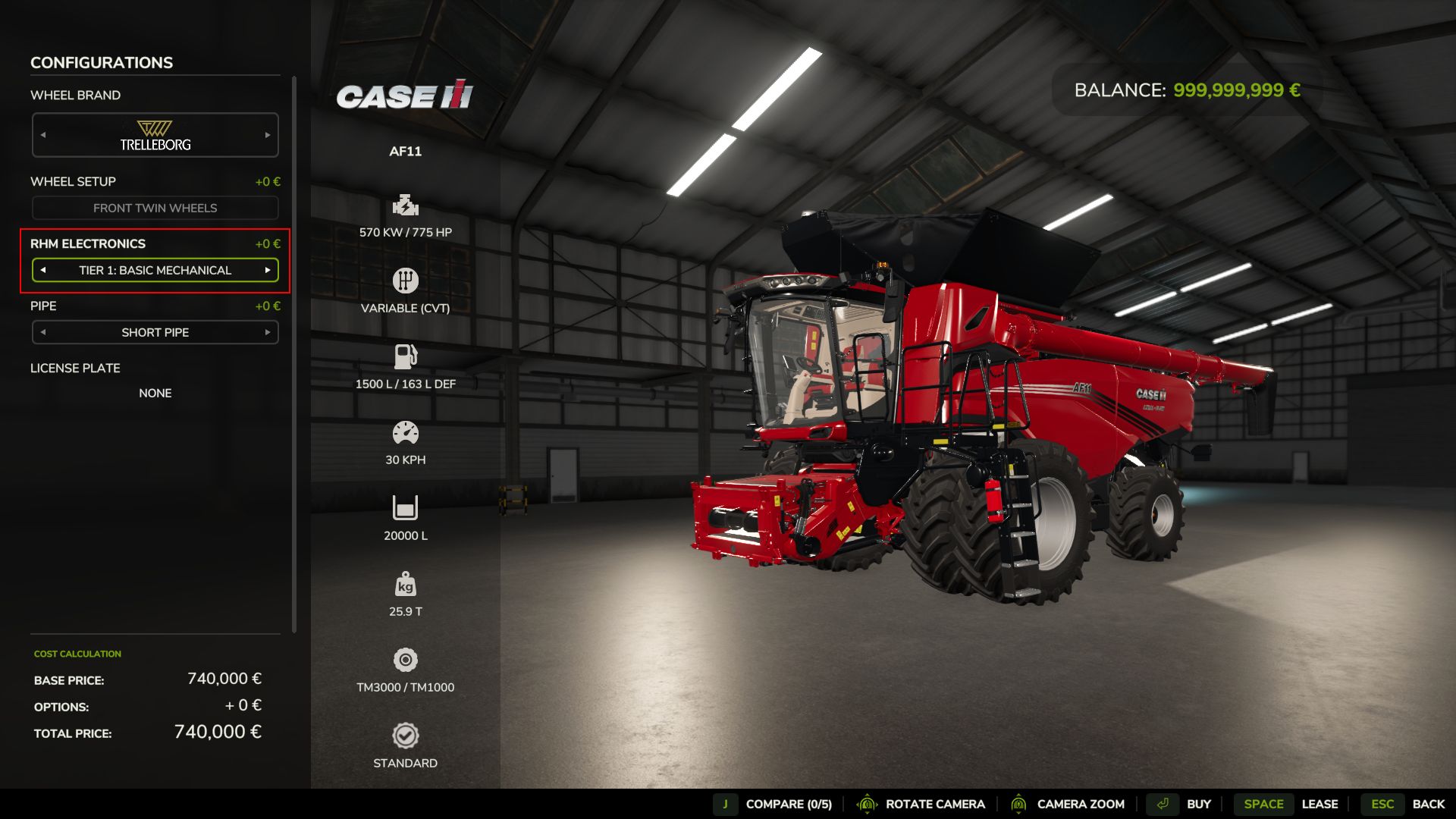
Workshop Upgrade Packages (Tiers 1–4): Upgrade your combine at the shop:
Level 1 (Standard): Fully manual operation.
Level 2 (Sensor Kit): Displays calibration guidance hints (low / optimal / high).
Level 3 (Yield Monitor): Real-time yield (t/ha, bu/ac), area rate (ha/h), and moisture telemetry.
Level 4 (Opti-Harvest AI): Automatic settings calibration and automated speed management.
AI & Courseplay Compatibility: AI helpers and Courseplay workers automatically utilize your saved profiles or optimal calibrations.
Draggable HUD: Clean, movable on-screen display showing live Engine Load, Productivity (t/h, ha/h), Crop Loss %, and Moisture.
Global Crop Profiles: Save your favorite tuning once — profiles automatically load across your combines and savegames.
3 Difficulty Modes (ESC Settings): Choose between Arcade (relaxed), Normal (balanced), or Realistic (strict physical limits and penalties).
Multiplayer & Dedicated Server Note
Please Note: Multiplayer synchronization has been completely overhauled in the latest update. However, this latest version has not yet undergone extensive testing on live Dedicated Servers.
While fully supported, please test cautiously when running on production dedicated servers, and feel free to report any sync observations or issues on GitHub or Discord!
V1.6.2.0
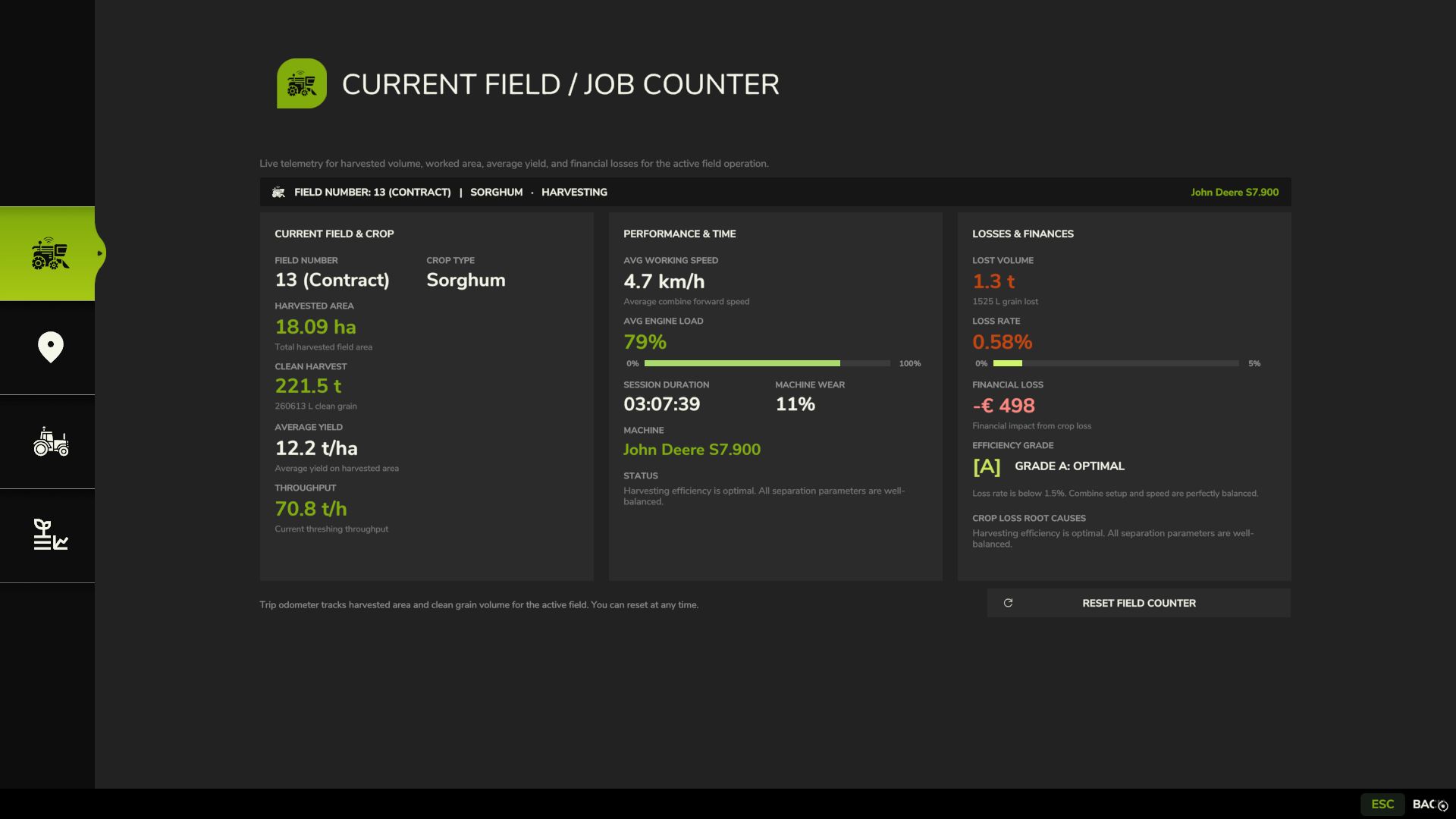
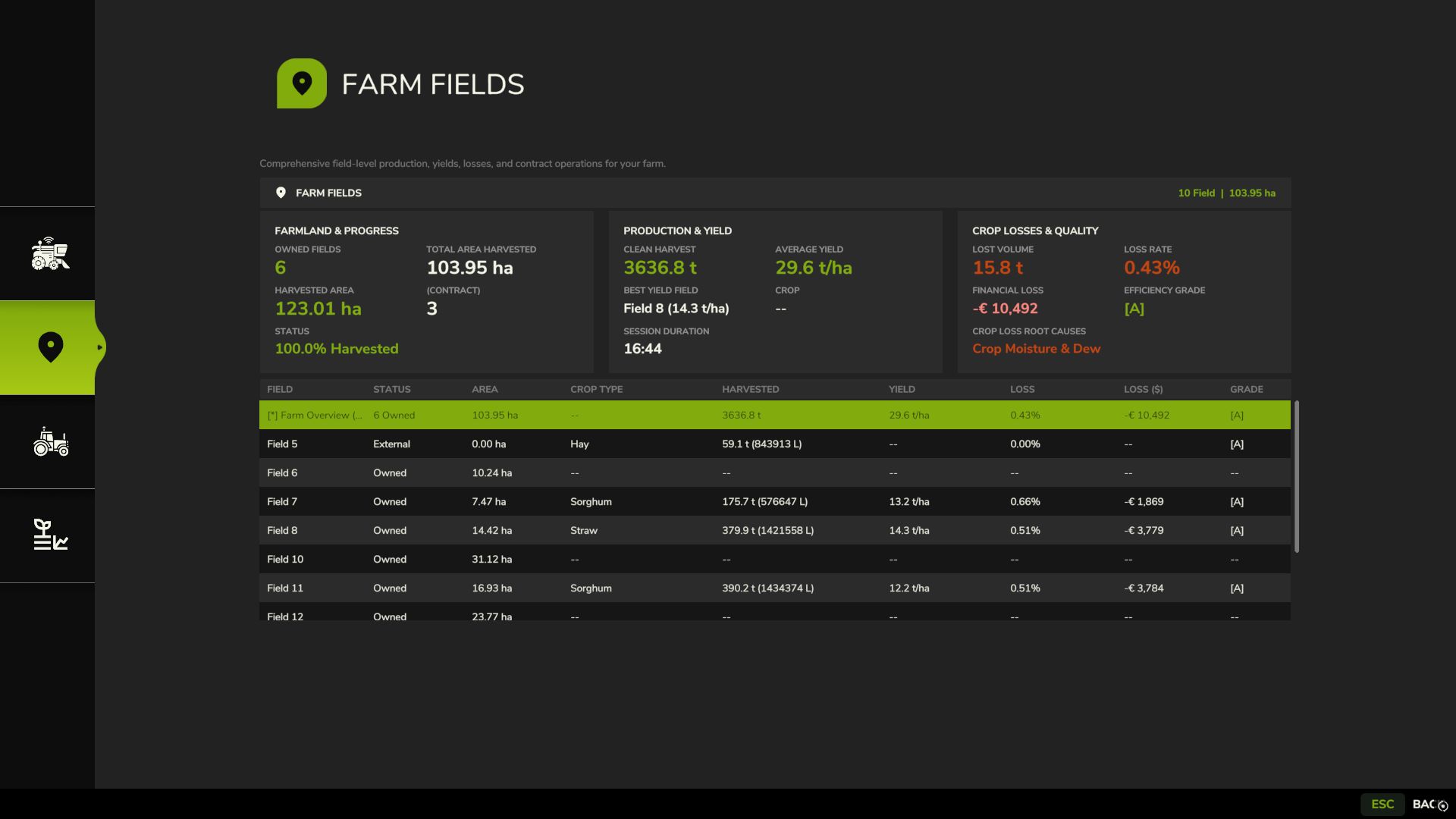
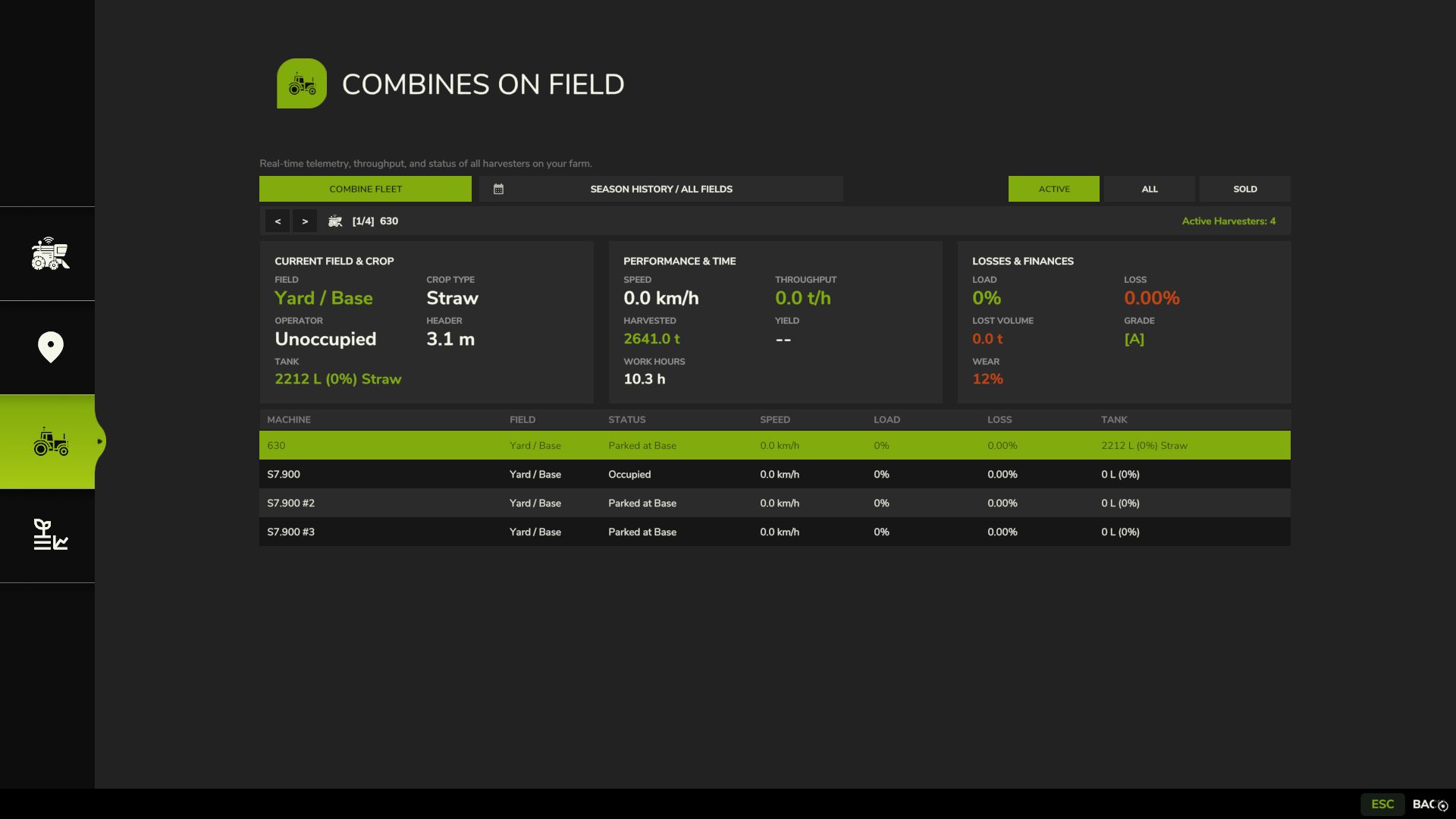
Harvest Records and Statistics (Right Shift + J)
Added fullscreen harvest journal and fleet analytics menu.
Added active field trip counter tracking worked area, harvested mass, average yield, live throughput, and financial losses.
Added quick field counter reset via Right Shift + R shortcut or in-menu button.
Added farm fields overview with detailed yield and loss statistics for each field and contract.
Added fleet telemetry tracking harvester status, active driver, machine wear, and grain tank fill level.
Added support for leased and mission contract combines with automatic list cleanup upon return.
Added seasonal archive recording harvest operations and history across all past years.
Added loss root cause diagnostics (separator overload, moisture and dew, knife wear, field slopes) and operator efficiency scoring.
Added automatic field counter reset when moving to a new field or changing crops.
Mouse Cursor and HUD Interaction
Added quick in-cab mouse cursor toggle via Middle Mouse Button (wheel click) without opening menus.
Added automatic camera rotation suspension while mouse cursor is active.
Configured clean cursor dismissal on secondary wheel click with debounce protection, leaving the right mouse button completely free.
Enabled free moving and clicking of the small HUD while the calibration tablet (Right Shift + K) is open.
Added combine action hotkey prompts directly in the standard F1 controls help menu.
Small Telemetry HUD Updates
Updated compact 4-column HUD layout with clickable cells to cycle displayed metrics.
Added live weed canopy infestation indicator sampling crop density ahead of the cutterbar.
Added throughput in tons per hour, work rate in hectares per hour, moisture, ground speed, and loss readouts.
Fully standardized measurement units (metric, imperial, bushels) matching game settings.
Physics, Mechanics, and Settings
Added weed canopy drag: weed patches generate up to 15% extra engine load and increase threshing resistance.
Added hillside slope physics causing extra grain loss from crop sliding across sieves.
Improved equipment wear mechanics: added a dedicated pause menu toggle, full power decoupling when disabled, and live wear diagnostics in harvest records.
Added independent pause menu toggles for slope losses, weed resistance, and mechanical wear.
Added built-in diurnal moisture cycle (morning dew, afternoon drying) without requiring third-party mods.
Added multi-stage power load model for forage harvesters (feed rolls, chopping drum, accelerator blower).
Added intake resistance calculations for windrow pickups based on swath density and volume.
Added power demand model for straw choppers (an extra 15-20% engine load when chopping versus dropping a swath).
Terminal Audio System
Replaced harsh buzzer with an authentic combine onboard computer warning chime.
Added smart alert rhythm: 3 short pulses during critical overload (above 95%) or high losses with an 18-second pause between bursts.
Crop Database and Handbook
Added comprehensive 11-chapter interactive handbook in the in-game help menu (ESC Help).
Added factory baseline presets for more than 25 crops, including sugarcane, poplar, beetroot, and green beans.
Added auto-discovery engine categorizing new crops on custom maps based on seed mass and straw presence.
Fully overhauled agricultural terminology and translations across all 27 supported languages.
Optimization and Stability
Consolidated all interface icons into a single optimized texture atlas.
Optimized UI rendering memory to eliminate micro-stutters during gameplay.
Fixed calibration slider behavior on stationary combines and resolved rapid crop selection errors.
Ensured reliable savegame persistence for field counters, machine odometers, and settings across game reloads.
Fully synchronized combine operation and harvest journal in multiplayer and on dedicated servers.